Write in WordPress
Use the familiar dashboard to write posts, manage drafts, and edit your content.

WordPress at heart. A custom Astro site for your readers.
Hosted installation is coming soon. Here’s how the pieces fit together.
Use the familiar dashboard to write posts, manage drafts, and edit your content.
Astro renders the public pages. Your articles stay in WordPress while the layout can change independently.
Spacefast manages the hosting and versioned deploys. You can review a private preview before approving a release.
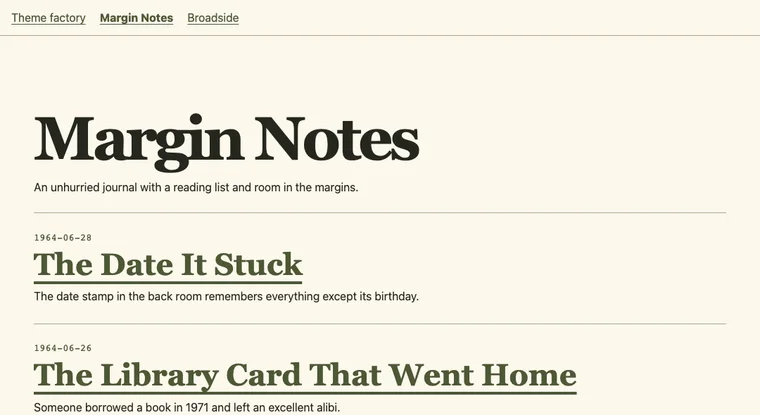
An intimate reading layout for essays, notes, and personal publishing.
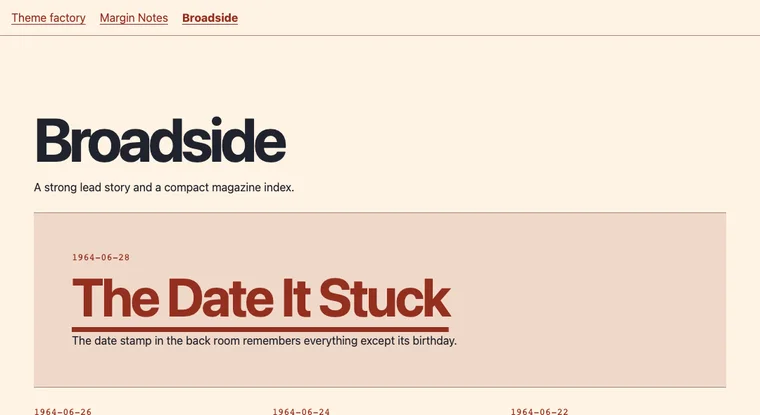
A bolder editorial layout for articles with strong headlines.
Installation is coming soon.
Hosted setup is still being verified. Once available, the installer will set up the publication and give you links to the site, WordPress, and its ChatGPT connector.
Spacefast plans start free. Your hosting costs depend on the plan and usage you choose. See current pricing.
Back to templatesYes. WordPress is where you write and manage posts. Astro controls what readers see on the public site.
Theme Factory ships with Astro layouts. If you need your existing WordPress theme to control the public site, choose a conventional WordPress setup.
The eight featured starters are standalone HTML. Theme Factory is the option for a WordPress-backed publication.
